
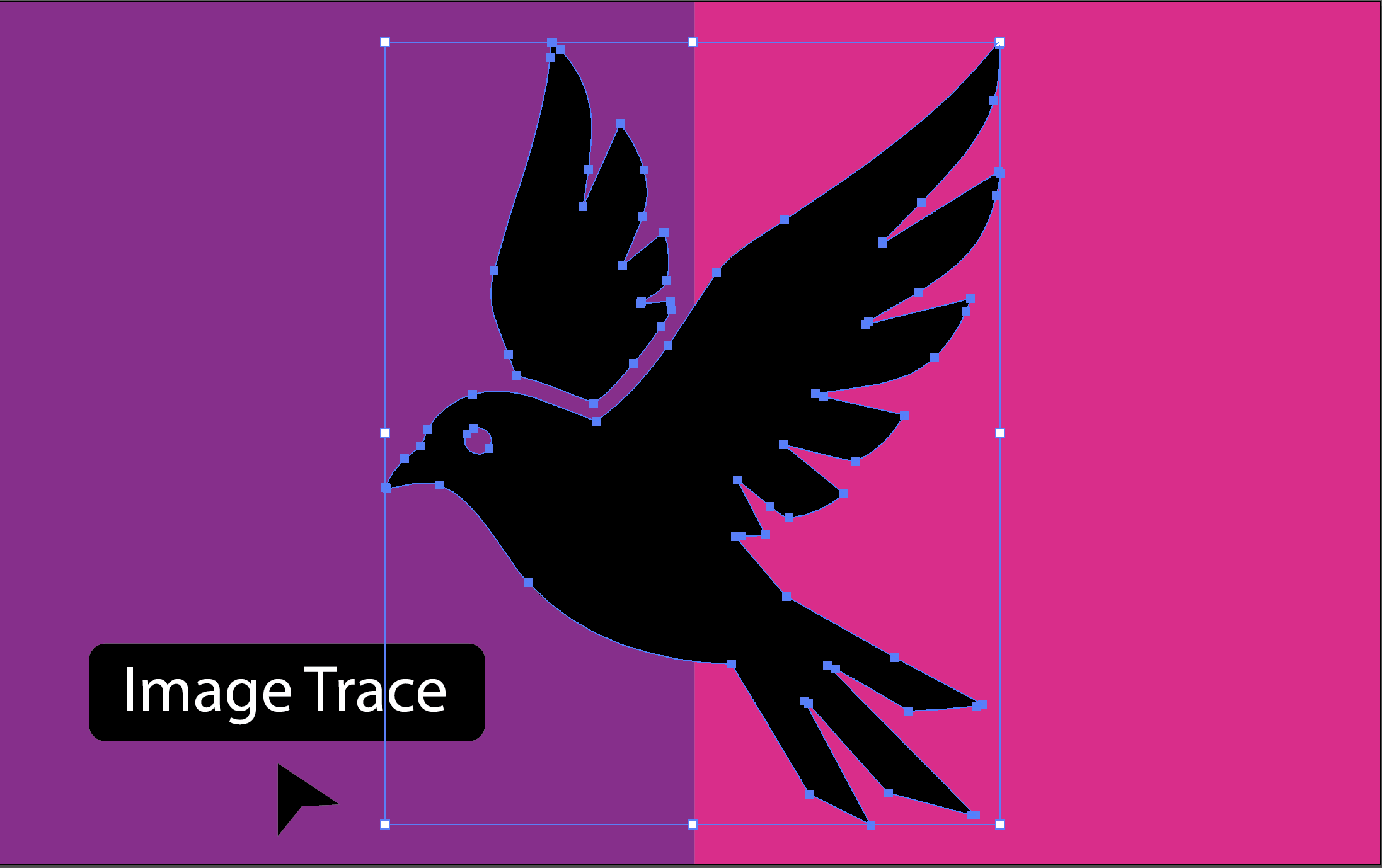
Picture This...
You've just launched your new website. Everything looks perfect on your laptop. But then you check it on your phone—your logo looks blurry. You open it on your friend's 4K monitor—pixelated disaster. You try to zoom in to show off a detail—the image turns into a fuzzy mess.
Sound familiar? This is the nightmare of using traditional image formats like PNG and JPG for graphics that need to look sharp everywhere.
Enter SVG—the superhero of web graphics. Imagine having a logo that looks razor-sharp on a smartwatch screen and billboard-crisp on an 8K display, all from the same tiny file. That's the magic of Scalable Vector Graphics.
Whether you're building a website, designing a mobile app, or creating marketing materials, understanding SVG could be the difference between graphics that merely exist and graphics that truly shine.
What is SVG (Scalable Vector Graphics)?
SVG stands for Scalable Vector Graphics, an XML-based file format for vector graphics. Unlike raster images made of pixels, SVGs use mathematical equations to describe shapes, making them perfectly scalable to any size without losing quality.
Think of SVG as a text-based language that tells your browser how to draw lines, curves, shapes, and text. Because it's vector-based, a single SVG file can be displayed at 100x100 pixels or 10,000x10,000 pixels with identical crisp quality.
Key Characteristics of SVG
Vector-Based
SVGs are defined by mathematical paths and equations rather than a grid of pixels, allowing infinite scalability.
XML Format
SVG files are plain text files written in XML, making them human-readable and easy to edit with a text editor.
Resolution Independent
Display SVGs at any resolution without loss of quality - they look perfect on mobile phones, tablets, and 4K displays.
Small File Sizes
SVG files are typically much smaller than equivalent PNG or JPG files, improving page load times.
Fully Searchable and Indexable
Since SVG is text-based, search engines can read and index SVG content, improving SEO.
Key Advantages of SVG
Performance Benefits
- Smaller file sizes - Often 70-90% smaller than PNG equivalents
- Faster load times - Less data to download
- Hardware acceleration - Rendered by GPU for smooth animations
- Responsive design - Single file scales to all screen sizes
Design & Customization
- Easy color changes - Modify colors with CSS or JavaScript
- Animations - Create interactive animations with CSS/JS
- Full DOM access - Manipulate individual elements
- Filters and effects - Apply advanced visual effects
Web & SEO Benefits
- SEO friendly - Text content in SVGs is searchable
- Accessibility - Can include descriptions and titles
- Browser support - Supported in all modern browsers
- Responsive images - Perfect for adaptive design
Technical Benefits
- Open standard - W3C standard, no licensing fees
- Text-based format - Easy to version control with Git
- JavaScript support - Manipulate with JavaScript
- Universal support - Works in all modern browsers
SVG vs Other Vector Formats
| Feature | SVG | AI (Illustrator) | EPS | PDF Vector |
|---|---|---|---|---|
| Web Ready | ✓ Yes | No | No | Partial |
| Scalable | ✓ Infinite | Infinite | Infinite | Infinite |
| File Size | ✓ Small | Large | Large | Medium |
| Editable | With code/tools | ✓ Full software | Limited | Limited |
| Browser Support | ✓ All modern | No | No | With plugins |
| Print Professional | Limited | ✓ Best | ✓ Best | Good |
Best Use Cases for SVG
Web Design & UI
SVGs are perfect for web design because they scale perfectly on all screen sizes and devices. Icons, buttons, navigation elements, and interactive components all benefit from SVG's scalability and performance.
- Icon systems and icon libraries
- Responsive logos and branding
- Interactive animations and transitions
- Infographics and data visualizations
Interactive Applications
Because SVG elements are part of the DOM, you can create highly interactive experiences with JavaScript. Perfect for web applications that need dynamic graphics.
- Animated charts and graphs
- Interactive maps and diagrams
- SVG-based games and visualizations
- Real-time data visualization dashboards
Branding & Design Systems
SVGs are ideal for responsive design systems where graphics need to adapt to different contexts and screen sizes while maintaining quality.
- Responsive logos that adapt to containers
- Dynamic brand elements
- Scalable design systems
- Illustration libraries
Getting Started with SVG
- 1
Use Professional Software
Adobe Illustrator, Inkscape (free), or online tools like Figma create perfect SVGs.
- 2
Convert Existing Images
Have a PNG or JPG? Use our free auto-trace tool or professional conversion service to get SVG files.
- 3
Optimize Your SVG
Use SVGO (SVG Optimizer) to reduce file size and remove unnecessary code before deployment.
- 4
Use on Your Website
Embed SVGs in HTML, use as CSS backgrounds, or inline them for interactive elements.
Conclusion
Scalable Vector Graphics (SVG) have become the gold standard for web graphics. Their combination of scalability, small file sizes, web-native format, and interactive capabilities make them indispensable for modern web design.
Whether you're building a responsive website, creating an icon system, or designing interactive visualizations, SVG is the format that delivers results. If you need to convert existing logos or graphics to SVG, professional vectorization ensures you get clean, optimized, and perfect SVG files that will serve your projects for years to come.
Ready to embrace SVG for your next project? Start with our free auto-trace tool or contact us for professional conversion services.