
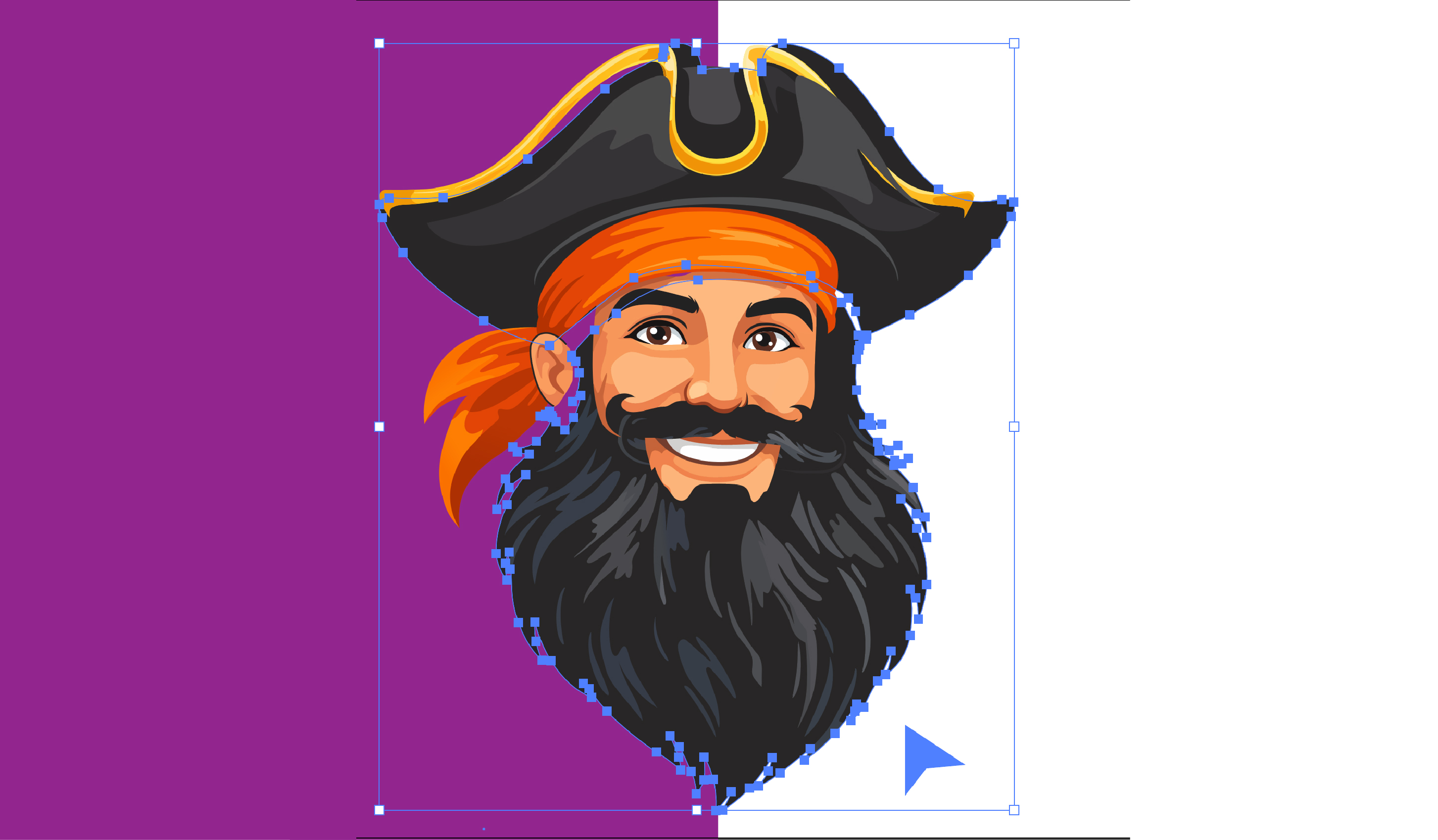
Looking for the best way to convert your images to vector format? Whether you need to turn a logo into an SVG, prepare artwork for screen printing, or create scalable graphics for any size, choosing the right vector conversion service is crucial.
We've tested and compared the top vector conversion services in 2025 to help you make the right choice for your project. If you want to try a free AI conversion right now, head to our AI vectorizer, or request a quote for expert hand-traced work.
Quick Comparison
Best Overall
VectorGurus
Best Free AI
Vectorizer.AI
Best for Adobe Users
Adobe Express
Best for Animations
Recraft
What to Look for in a Vector Conversion Service
Before diving into our comparison, here are the key factors we evaluated:
AI vs Hand-Traced
AI is fast but limited. Hand-tracing produces superior results for complex or low-quality source images.
Pricing
Free tiers for simple work, paid options for professional quality. Expect $15-100 for hand-traced work.
Turnaround Time
AI tools are instant. Professional hand-tracing typically takes 24-48 hours.
Output Formats
Look for SVG, AI, EPS, and PDF. Some services offer DXF for CNC/laser cutting.
Top 5 Vector Conversion Services Compared
VectorGurus
AI + ProfessionalBest all-in-one: free AI for simple work + expert hand-tracing for complex logos
Pricing
Free AI / $25+ hand-traced
Turnaround
Instant AI / 24hr pro
Formats
SVG, AI, EPS, PDF, DXF
Revisions
Unlimited
Strengths
- +Free AI vectorizer for simple images
- +100% hand-traced by professionals
- +Unlimited revisions included
- +24-hour delivery guarantee
- +All major formats (SVG, AI, EPS, PDF)
Limitations
- -Hand-traced service requires payment
- -AI tool requires signup for download
Vectorizer.AI
AI OnlyBest pure AI vectorizer for clean, high-resolution source images
Pricing
Free / $10+ subscription
Turnaround
Instant
Formats
SVG, PDF, EPS, DXF, PNG
Revisions
N/A (automated)
Strengths
- +Excellent AI quality
- +Instant results
- +Multiple output formats
- +Batch processing
Limitations
- -No hand-traced option
- -Struggles with low-quality images
- -Subscription required for full access
- -No human refinement available
Vector Magic
AI OnlyEstablished AI vectorizer with desktop app option
Pricing
$9.95/month subscription
Turnaround
Instant
Formats
SVG, EPS, PDF, AI, DXF
Revisions
N/A (automated)
Strengths
- +Desktop app available
- +Good for batch processing
- +Well-established service
- +Multiple editing options
Limitations
- -No free tier
- -Monthly subscription required
- -No professional hand-tracing
- -Can struggle with complex images
Adobe Express
AI OnlyQuick SVG conversion integrated with Adobe ecosystem
Pricing
Free / Premium plans
Turnaround
Instant
Formats
SVG
Revisions
N/A (automated)
Strengths
- +Free tier available
- +Adobe ecosystem integration
- +Easy to use
- +Brand trusted
Limitations
- -Limited to SVG output
- -Basic conversion quality
- -No professional services
- -Requires Adobe account
Recraft
AI OnlyAI vectorization with animation (Lottie) support
Pricing
Free / $20+ subscription
Turnaround
Instant
Formats
SVG, Lottie
Revisions
N/A (automated)
Strengths
- +Lottie animation support
- +Modern AI technology
- +Free tier available
- +Good for web graphics
Limitations
- -Limited format options
- -No hand-traced option
- -Newer service, less proven
- -No print-specific formats
Vector Conversion Pricing Comparison 2025
Here's how the pricing breaks down across all services:
| Service | Free Tier | Paid Starting Price | Hand-Traced Price |
|---|---|---|---|
| VectorGurus | Yes (AI tool) | $3 per SVG download | $50-195 |
| Vectorizer.AI | Yes (limited) | $10/month | Not available |
| Vector Magic | No | $9.95/month | Not available |
| Adobe Express | Yes | $9.99/month | Not available |
| Recraft | Yes | $20/month | Not available |
Detailed Feature Comparison
Side-by-side comparison of key features across all top vector conversion services:
| Feature | VectorGurus | Vectorizer.AI | Vector Magic | Adobe Express | Recraft |
|---|---|---|---|---|---|
| Free Preview | |||||
| Hand-Traced Option | |||||
| Unlimited Revisions | |||||
| All Vector Formats | SVG only | SVG, Lottie | |||
| Pay Per Use | |||||
| 24-Hour Delivery | Instant only | Instant only | Instant only | Instant only | |
| Works with Low Quality | Limited | Limited | Limited | Limited | |
| Customer Rating | 4.9/5 | 4.7/5 | 4.5/5 | 4.3/5 | 4.4/5 |
| Total Reviews | 3,000+ | 500+ | 1,000+ | 2,000+ | 300+ |
Key Insights from the Data
- VectorGurus is the only service offering both free AI conversion AND professional hand-tracing with unlimited revisions
- At 4.9/5 rating from 3,000+ reviews, VectorGurus has the highest customer satisfaction rating
- Pay-per-use pricing ($3 AI, $50+ professional) means no wasted monthly subscriptions
- 24-hour professional delivery is 2x faster than traditional design agencies (48-72 hours)
Professional Vector Conversion Pricing by Complexity
Understanding how complexity affects pricing helps you budget correctly:
| Complexity Level | Description | VectorGurus Price | Fiverr Average | Design Agency |
|---|---|---|---|---|
| Simple Logo | Clean text, basic shapes, 1-2 colors | $25 | $15-30 | $50-100 |
| Medium Complexity | Multiple elements, gradients, 3-5 colors | $40-50 | $30-60 | $100-200 |
| Complex Design | Detailed artwork, many colors, intricate shapes | $60-80 | $50-100 | $200-350 |
| Highly Detailed | Illustrations, portraits, photo-realistic | $80-100 | $75-150 | $300-500 |
Money-Saving Tip: Try AI First
Start with VectorGurus free AI vectorizer to see if it works for your image (works great for 60-70% of logos). If AI quality isn't sufficient, upgrade to professional hand-tracing for $25-100. This approach can save you money on simple conversions while ensuring expert quality when needed.
Which Service Should You Choose?
| Service | Best For |
|---|---|
| VectorGurus | Free AI + professional hand-tracing, complex logos, low-quality sources, unlimited revisions, all formats |
| Vectorizer.AI | Pure AI for clean high-res images, batch processing |
| Adobe Express | Quick SVG conversion within Adobe ecosystem |
| Vector Magic | Desktop app users, established AI vectorization |
| Recraft | Web graphics with Lottie animation support |
The Bottom Line
For most users, VectorGurus offers the best overall value by combining free AI vectorization for simple images with professional hand-tracing for complex or brand-critical work. This hybrid approach means you only pay when you truly need expert quality.
If you're working exclusively with clean, high-resolution source images and don't need human refinement, pure AI tools like Vectorizer.AI are excellent choices.
For professional print work, branding projects, or any situation where quality is non-negotiable, hand-traced vectorization from VectorGurus delivers results that AI simply cannot match.